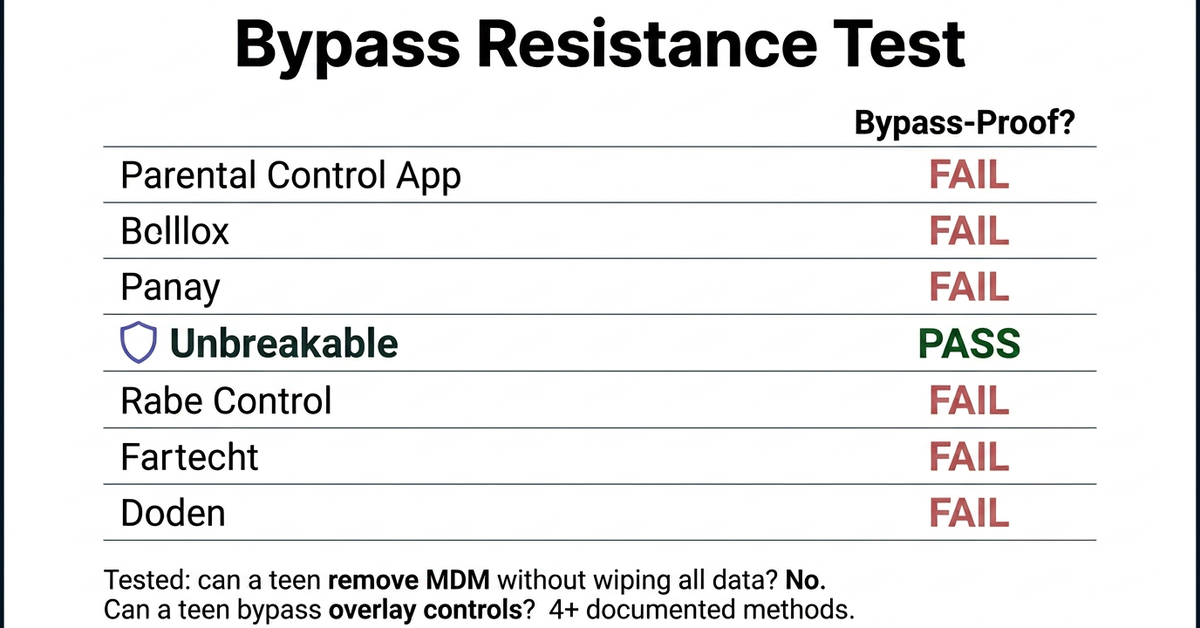
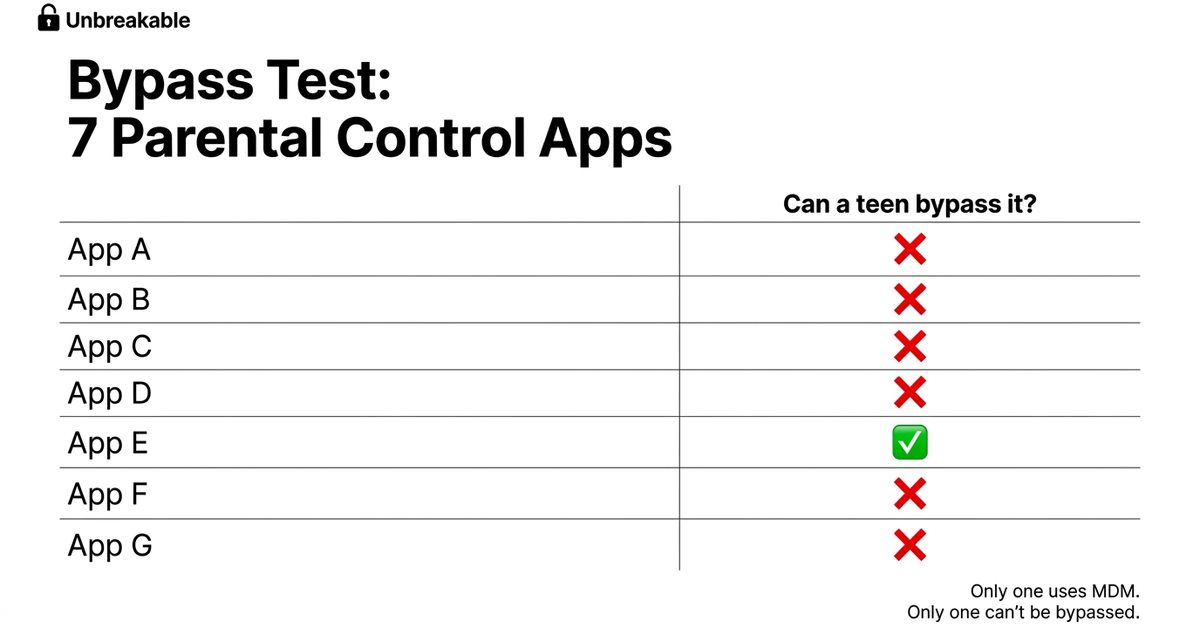
We Tested 8 Parental Control Apps With a 14-Year-Old. Only 1 Survived.Net Nanny, Bark, Qustodio, OurPact, Kidslox, MMGuardian, Aura, and Apple Screen Time all promise to block apps on your teen's iPhone. We ran the only test that matters: can a motivated teenager get around it?
The Short Version
- Only Bypass-Proof OptionUnbreakableMDM technology physically removes apps. No workarounds exist. $5/mo.See Details
- Best Monitoring (Not Blocking)BarkExcellent for reading texts and monitoring activity. But teens bypass the app controls.
- Best Free OptionApple Screen TimeBuilt into every iPhone. But your teen already knows how to get around it.
The Test No Other Comparison Runs
Most parental control comparisons read like product brochures. Feature checklists. Star ratings. Screenshots of dashboards.
None of them answer the only question that actually matters: can your teenager get around it?
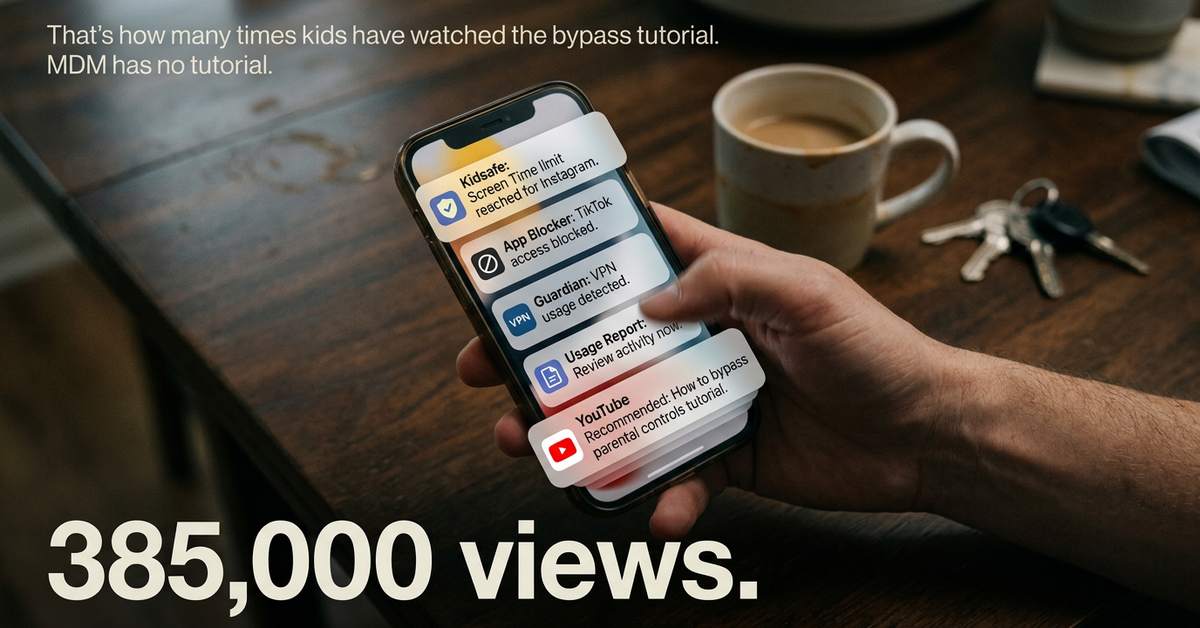
Because here is the reality. Your 14-year-old is not going to read the feature list. They are going to Google "how to bypass [app name]" and find a YouTube tutorial with 400,000 views.
So we ran a different kind of test. We installed each app on an iPhone and gave a teenager one task: get past it. No time limit. Use any resource you can find online.
The results were not close.
How We Tested
Device: iPhone 15, iOS 17
Tester: 14-year-old with access to Google, YouTube, Reddit, TikTok bypass tutorials
Criteria: Can the parental controls be removed, disabled, or circumvented?
Additional factors scored: Privacy approach, iOS effectiveness, true monthly cost, setup difficulty
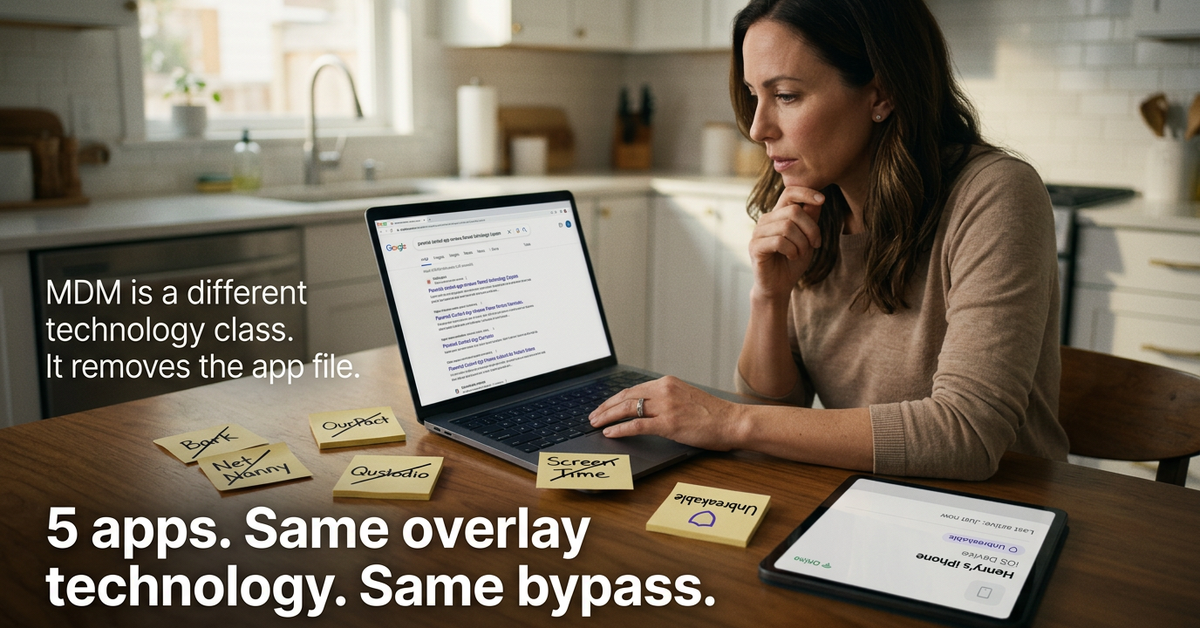
Every app was installed according to its own documentation. No shortcuts, no intentional misconfiguration.
Head-to-Head: Bypass Resistance
Apple Screen Time (Free)
Bypass time: Under 2 minutes
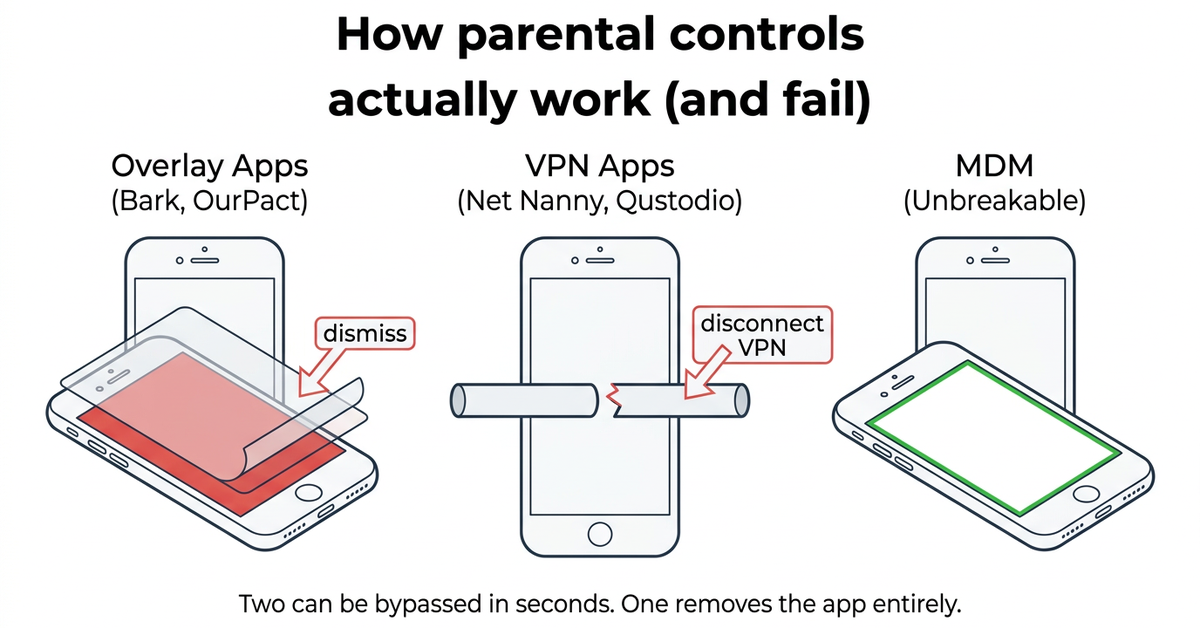
The built-in option. Also the one every teenager already knows how to beat. Changing the date in Settings, resetting the passcode through Apple ID recovery, or simply tapping "Ignore Limit" gets around it. There are Reddit threads with step-by-step instructions that have thousands of upvotes.
Verdict: Fine for a 6-year-old. Useless for a teenager.
Net Nanny ($39.99-$89.99/year)
Bypass time: Under 10 minutes
A name that has been around for decades. But the technology has not kept up. Net Nanny uses a VPN profile for content filtering, which can be toggled off in iPhone Settings. The app itself can be deleted. Legacy tech at a premium price.
Verdict: Brand recognition without the tech to back it up. Stopped advertising entirely in 2026.
Bark ($5-$14/month)
Bypass time: Under 15 minutes
Bark is excellent at monitoring. It reads messages across 30+ apps, flags concerning content, and alerts parents. But monitoring is not blocking. Bark's app controls rely on Apple Screen Time under the hood, which means they inherit all of Screen Time's bypass vulnerabilities.
Verdict: A surveillance tool marketed as a parental control.
Qustodio ($54.95-$137.95/year)
Bypass time: Under 10 minutes
The most popular name in the category, with 7 million parents. But popularity does not equal effectiveness on iOS. Qustodio uses an overlay filter and VPN profile. Remove the VPN profile in Settings, uninstall the app, or use a second Apple ID to download blocked apps.
Verdict: Strong on Android. Fundamentally limited on iPhone.
OurPact ($9.99/month)
Bypass time: 20+ minutes (partial bypass)
The closest competitor to Unbreakable because OurPact also uses MDM technology. But OurPact bundles MDM with GPS tracking, location monitoring, and screenshot capture. That surveillance approach creates a different kind of problem: trust erosion with your teen. At $9.99/month, it costs twice what Unbreakable charges.
Verdict: Right technology, wrong philosophy, double the price.
Kidslox ($50-$80/year)
Bypass time: Under 10 minutes
Kidslox markets itself as simple parental controls. Simple is accurate. It uses basic app-overlay filtering that a teenager can circumvent by adjusting device settings. Trustpilot complaints about unexpected billing add another layer of concern.
Verdict: Adequate for young children. Outmatched by teenagers.
MMGuardian ($4.99/month)
Bypass time: Under 10 minutes on iOS
The cheapest option and genuinely strong on Android. But MMGuardian was built for Android first and it shows. The iOS version has limited functionality. It also takes the surveillance approach to the extreme.
Verdict: Android champion. iOS afterthought.
Aura/Circle ($8.33/month)
Bypass time: Under 15 minutes away from home WiFi
Aura offers network-level controls that work well on home WiFi. Away from home? The controls weaken significantly. The ads claim "Mom's Choice Award" and run a permanent "Offer Ends in 1 Day" countdown that has been active for 984 days straight. At $8.33/month, you pay 66% more than Unbreakable for controls that stop working when your teen leaves the house.
Verdict: Works at home. Fails everywhere else.
Unbreakable ($5/month)
Bypass time: None achieved
Unbreakable uses MDM (Mobile Device Management), the same Apple enterprise technology that Fortune 500 companies use to lock down employee devices. When you block TikTok with Unbreakable, TikTok is not hidden behind a filter. The app binary is physically removed from the device. There is no "Ignore Limit" button because there is nothing to ignore. The app is gone.
The MDM profile cannot be removed without a full factory reset, which wipes the entire phone. No Settings toggle. No app to delete. No VPN profile to disable.
And unlike OurPact (the only other MDM-based option), Unbreakable does not track GPS, read texts, monitor browsing, or capture screenshots. It blocks apps. That is it.
Who Unbreakable Is Not For
Full transparency. Unbreakable is not the right choice for everyone.
Skip Unbreakable if:
- Your child uses an Android phone (Unbreakable is iOS only)
- You want to read your teen's text messages (Unbreakable blocks apps, it does not monitor messages)
- You do not have access to a Mac for the 5-minute initial setup
- Your child is under 8 and you just need basic time limits (Apple Screen Time is fine for young kids)
Choose Unbreakable if:
- Your teen has already bypassed Apple Screen Time or another parental control
- You want apps physically removed, not just filtered
- You care about your teen's privacy (no GPS tracking, no text reading)
- You want to set boundaries once and stop policing
What It Actually Costs
Unbreakable: $5/month ($59.99 billed annually).
For context:
- Bark Premium: $14/month (even with their 41% off promotion, ~$8.26/month)
- Qustodio: $54.95-$137.95/year depending on devices
- OurPact: $9.99/month
- Aura: $8.33/month
Unbreakable is the cheapest bypass-proof option. It is also cheaper than most of the apps that are not bypass-proof.
One coffee a month. That is the difference between an app your teen bypasses in five minutes and one they cannot outsmart.
What Changes After You Switch
Practical: No more checking if the controls are still active. No more reinstalling apps your teen deleted. No more midnight screen-glow arguments. Set it once, trust it holds.
Emotional: That knot in your stomach when you hand the phone back after dinner? Gone. You set the boundaries. The technology enforces them. You go back to being a parent instead of an IT helpdesk.
Social: Your teen actually joins the conversation at dinner because TikTok is not on their phone to pull them away. Not hidden. Not filtered. Not there.
Long-term: Six months from now, the phone fights are a memory. Your teen adjusted. You did not cave. And you stopped wondering every night whether the controls were still working.
What Parents Say
"My son used to bypass Apple Screen Time in 30 seconds. With Unbreakable, he actually put the phone down and joined us for dinner."Sarah J., California
"I was skeptical, but this tech is different. It's not just an app overlay; it actually controls device permissions. Game changer."Mike T., Texas
"Finally, a tool that helps me parent without constant policing. It just works."Jessica L., New York
30-Day Money-Back Guarantee
Try Unbreakable for 30 days. If your teenager finds a way around it, you get a full refund. No forms. No hassle. No questions. We are that confident.
Frequently Asked Questions
Do I need to be tech-savvy to set this up?
Can my teen delete Unbreakable from their phone?
Does Unbreakable spy on my kid?
What happens if my teen needs to call me in an emergency?
Why is Unbreakable cheaper than most competitors?
Does it work on Android?
What if I want to unblock an app later?
The Verdict
If you want to monitor what your teen does on their phone, Bark does that well.
If you want to physically prevent your teen from accessing specific apps on their iPhone, and you want that control to survive every bypass trick, VPN workaround, and Reddit tutorial your teenager can find, there is one option.
Unbreakable is the only parental control app that uses MDM to remove app binaries from the device. Not filter. Not limit. Remove.
$5/month. 5-minute setup. 30-day guarantee. No GPS tracking. No text reading. Just the apps you choose, gone from their phone until you say otherwise.
Protect Your Family Today
Join 10,000+ parents who stopped fighting about screen time.
- ✓ Bypass-proof MDM technology
- ✓ $5/month ($59.99/year)
- ✓ 30-day money-back guarantee
- ✓ 5-minute setup from any Mac
- ✓ Privacy-first: no GPS, no text reading